NVIDIA NVENC / WINDOWS VIDEO CONVERSION
Free CUDA
Movie Converter.
Convert Faster With
Your NVIDIA GPU.
Use NVIDIA hardware encoding for supported outputs, work through a batch, and choose the quality and size you need.
Download for WindowsFree to use · Windows 10 (2004+) / 11 · 64-bit
NVIDIA support depends on your GPU, driver and output settings.
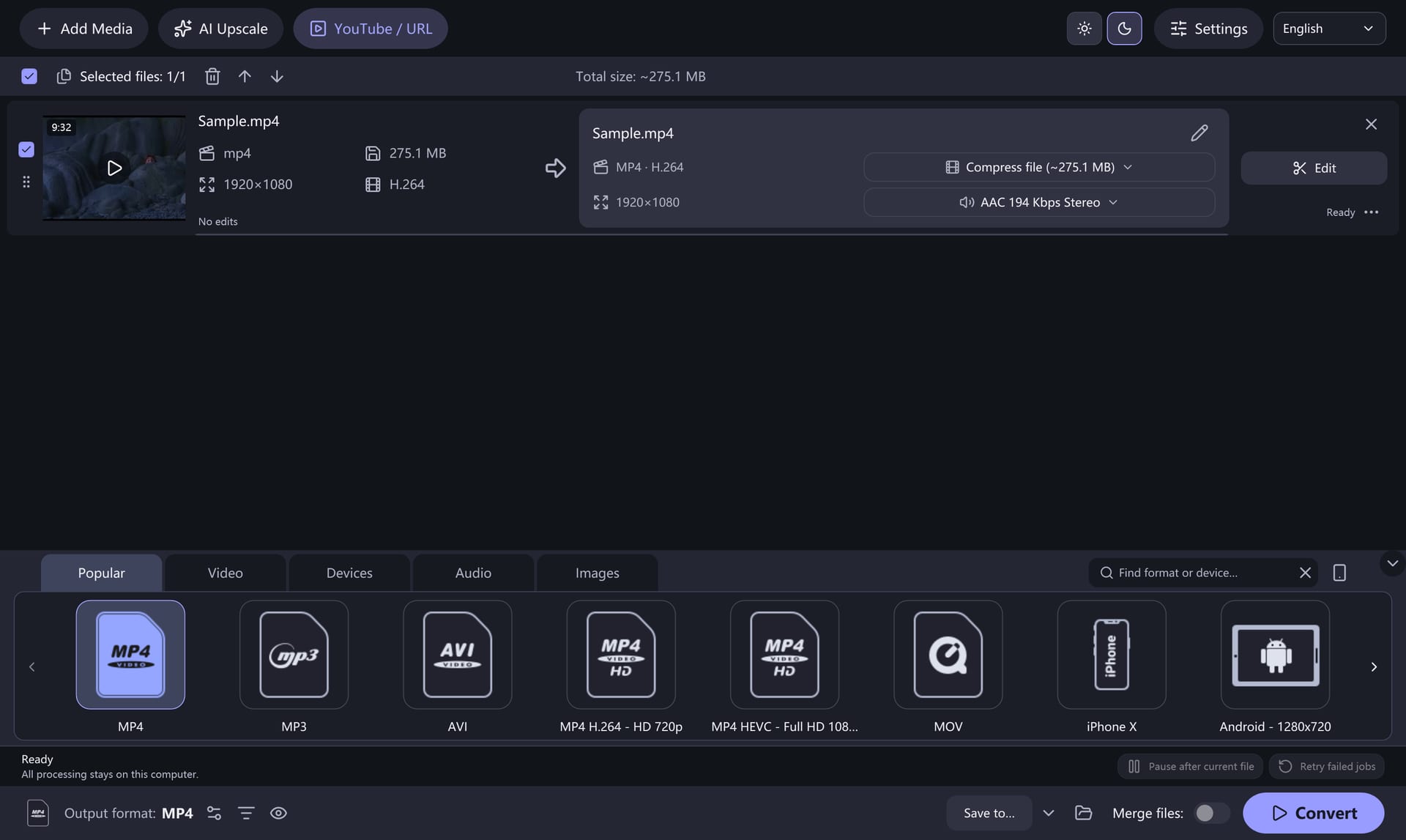
A SIMPLE ROUTINE
Queue. Choose. Convert.
One clear workflow, from first file to finished folder.
Build Your Queue
Add your video or audio source files.
Choose Your Output
Pick a preset and a destination folder.
Let the Batch Run
Start conversion and check each result.
YOUR FILE. YOUR SETTINGS.
Give Every Output a Direction.
Begin with a preset. Open the controls you need.
01NVIDIA Hardware Acceleration+
Use NVIDIA NVENC hardware encoding for supported H.264, HEVC and AV1 outputs. Availability depends on your GPU, driver and output settings. Check support and setup →
02Presets That Fit the Job+
Start with a video, device or audio preset. Choose the format before adjusting the detail.
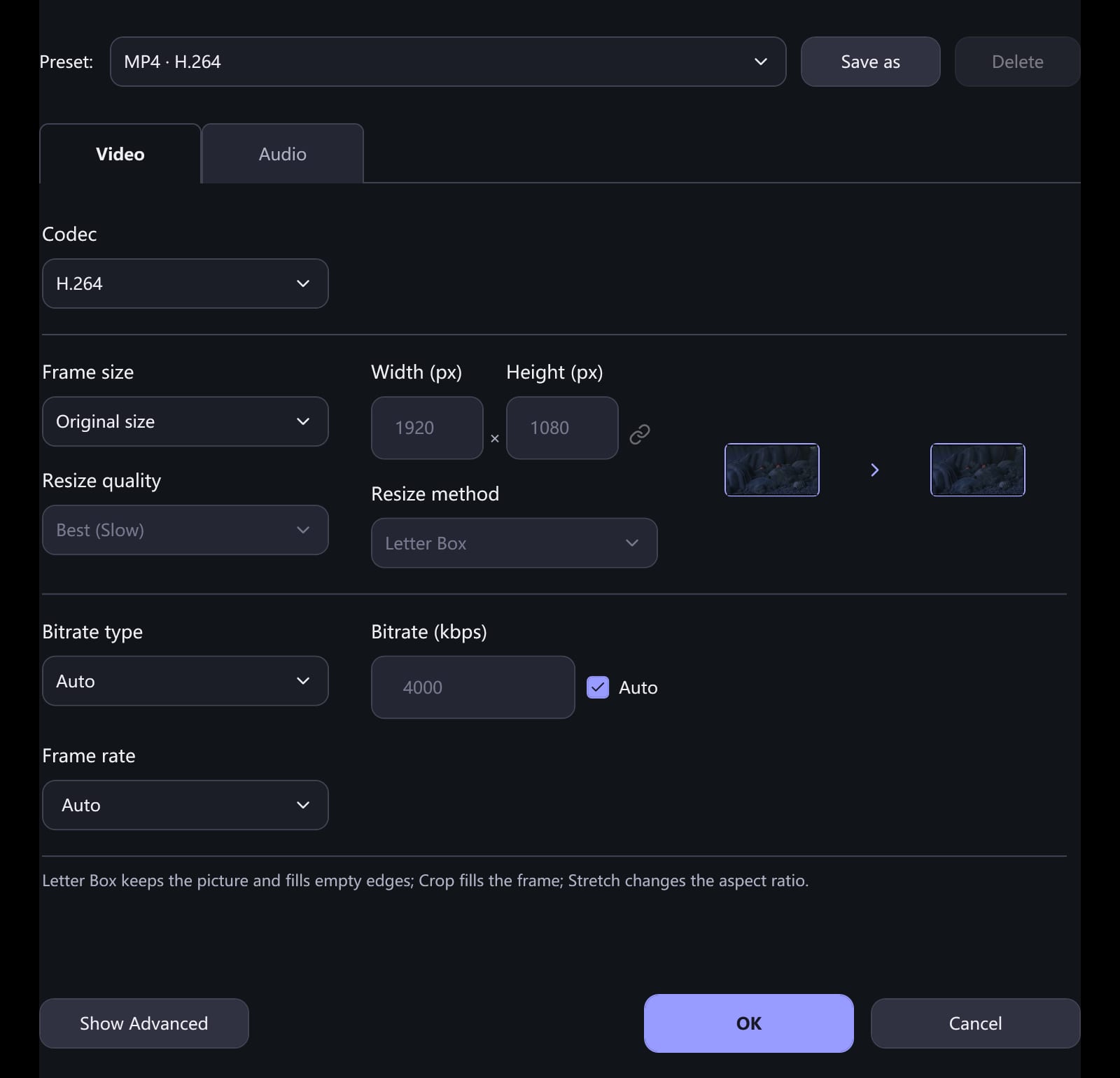
03Keep Size in Your Hands+
Adjust quality and resolution, or use a target size when a smaller file matters.
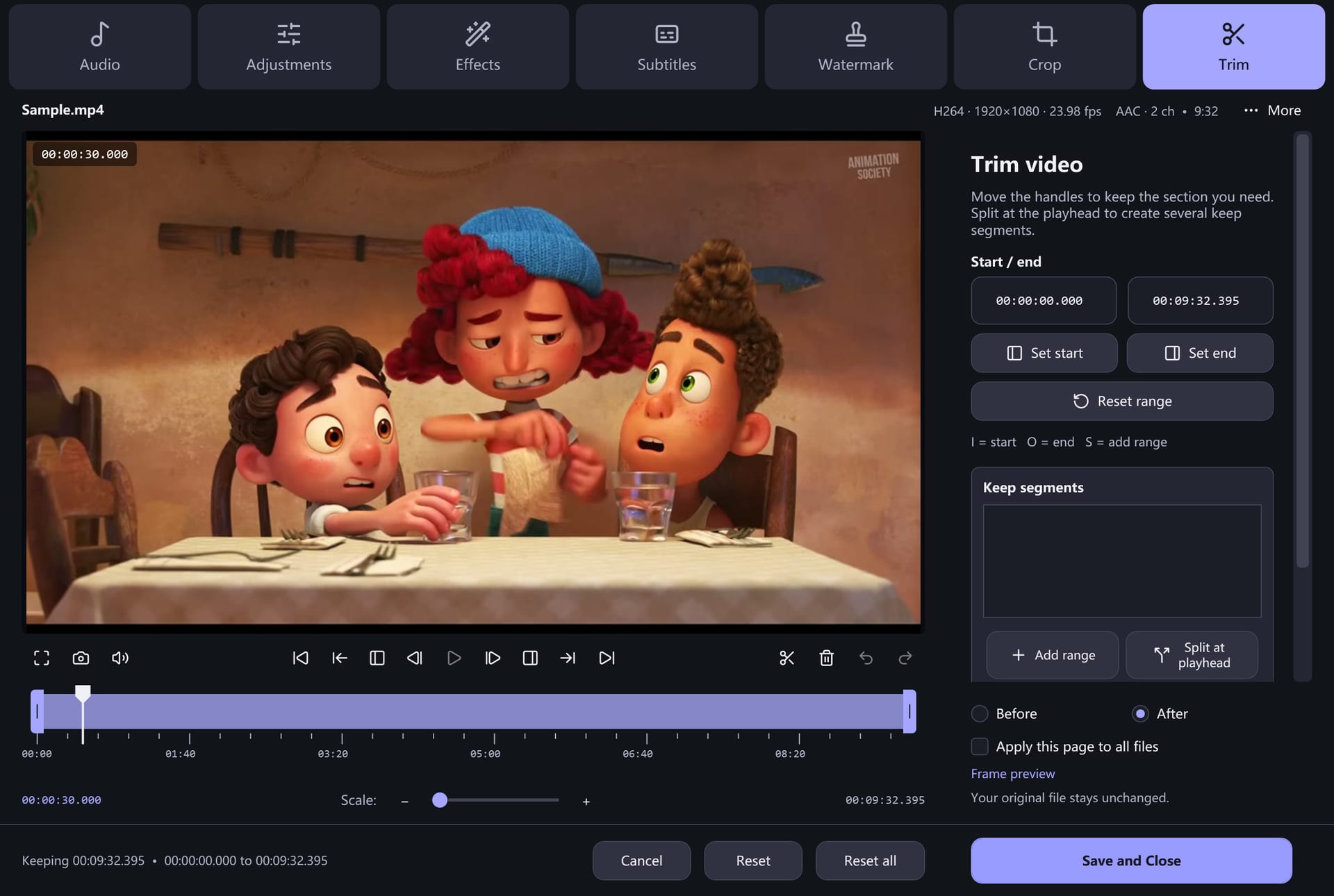
04Make the Cut Before Export+
Trim a clip, crop the frame or select tracks before committing to the output.
BUILT FOR THE HEAVIER LIFT
More Power. Less Repetitive Work.
Put Your NVIDIA GPU to Work
Use NVIDIA’s dedicated NVENC engine for supported video conversions.
See Hardware Support 02 / LESS REPEATED SETUPOne Setup. A Whole Batch.
Choose a preset and destination once, then process the queue one video after another.
Build Your Batch 03 / THE OUTPUT YOU CHOOSEGet the Quality and Size You Need
Set quality, resolution and target size to suit the result you need.
Explore Output ControlsNVIDIA NVENC availability depends on your GPU, driver, selected codec and output settings.
BUILT FOR YOUR WINDOWS PC
Your Next Batch Starts Here.
Keep the whole conversion workflow in one desktop app.
Release & download details- Platform
- Windows 10 (2004+) / 11
- Architecture
- 64-bit (x64)
- Version
- 8.2.0
System & hardware notes
Windows 10 version 2004 or later, or Windows 11. The self-contained build includes the .NET runtime. Hardware encoding is available only when the selected encoder, GPU and driver support it.
A LITTLE HELP, WHEN YOU NEED IT
Get to Your Finished File.
Is Free CUDA Movie Converter free?+
The app is free to use. Review the download page for the current release and installer availability.
Do I need an NVIDIA graphics card?+
No. Software encoding is available. Hardware encoding depends on the selected output codec, the GPU and its installed driver; the app checks encoder availability at runtime. The CUDA product name does not mean every conversion uses NVIDIA CUDA.
Which Windows version do I need?+
The current 64-bit build targets Windows 10 version 2004 or later and Windows 11. It includes the required .NET runtime.
Can I convert several files together?+
Yes. Add several source files to the batch queue, choose the output preset and destination, and start conversion. Check the individual results when the queue finishes.
Can I turn a video into an MP3?+
Yes. Choose an audio output preset such as MP3 to extract the audio track. You can also choose FLAC, WAV, AAC/M4A or Ogg Vorbis where compatible.
What happens to my original files?+
Conversion writes output to the destination you choose. Use a separate output folder and check your converted files before removing any originals.
Will every output play on my device?+
Playback depends on the device, container and codec. MP4 with H.264 is a useful starting point; check your device requirements and test a short clip first.
Where are the older tutorials?+
The original tutorial URLs still work. Each guide includes current workflow advice and a clearly marked archive of the original instructions and screenshots.
Step-by-step advice, with the original tutorials preserved at their familiar URLs.
READY WHEN YOU ARE
Make Room for the Next Video.
Pick your files. Set your output. Start your batch.
Download for WindowsFree to use · Windows 10 (2004+) / 11 x64